
Overrides
The Overrides feature (labelled Overrides in the sidebar) lets you teach My Media to substitute one search term for another. This is useful when:
- Alexa consistently mishears an album or artist name
- Your music metadata uses a different spelling or abbreviation from what you naturally say
- You want to create a short alias for a long name
The Overrides Screen
Navigate to Overrides in the sidebar.
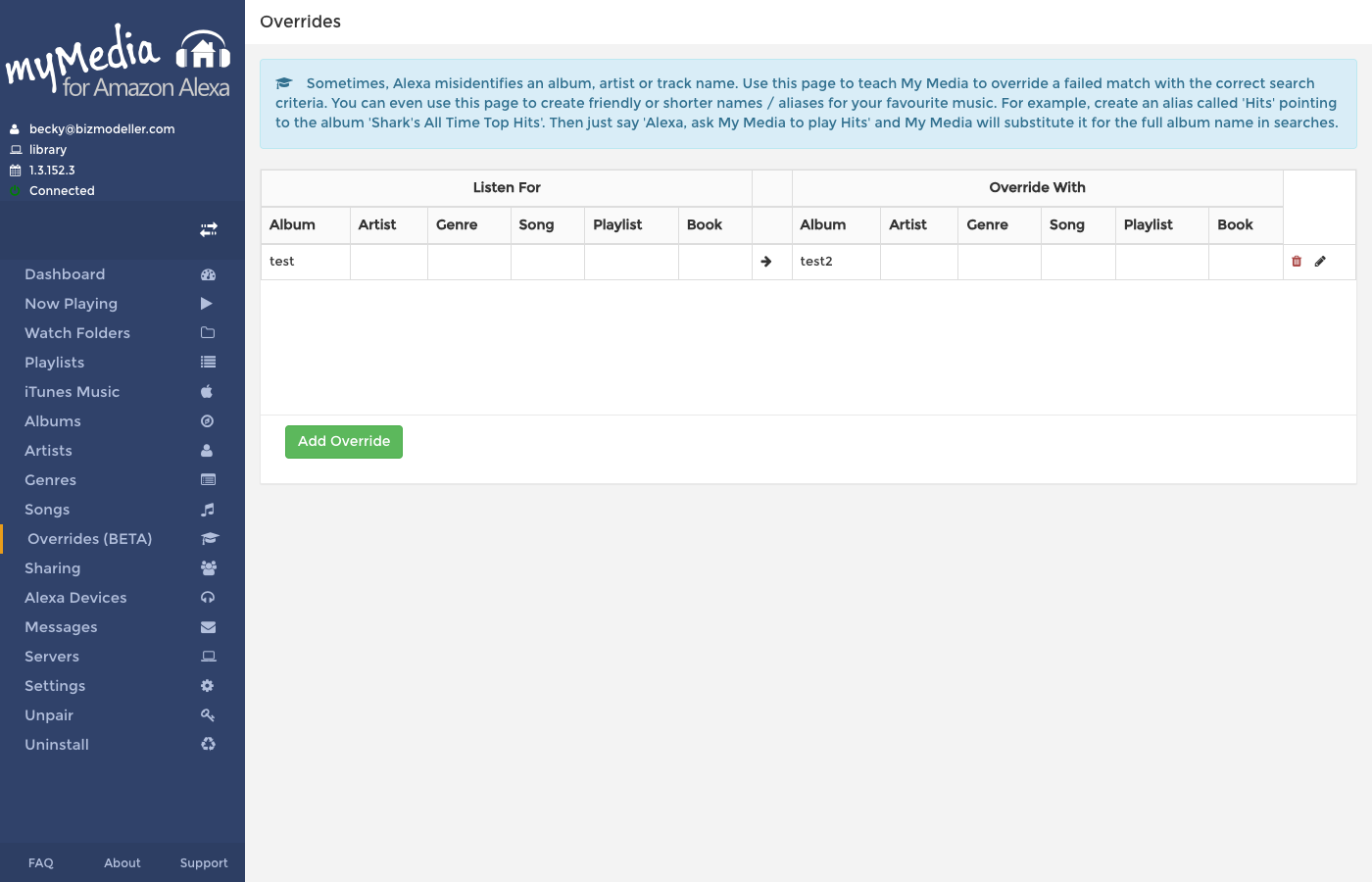
The table has two sides:
| Left Side — "Listen For" | Right Side — "Override With" |
|---|---|
| Album | Album |
| Artist | Artist |
| Genre | Genre |
| Song | Song |
| Playlist | Playlist |
| Book | Book |
Each row means: "When Alexa asks for [left side values], search for [right side values] instead".
Adding an Override
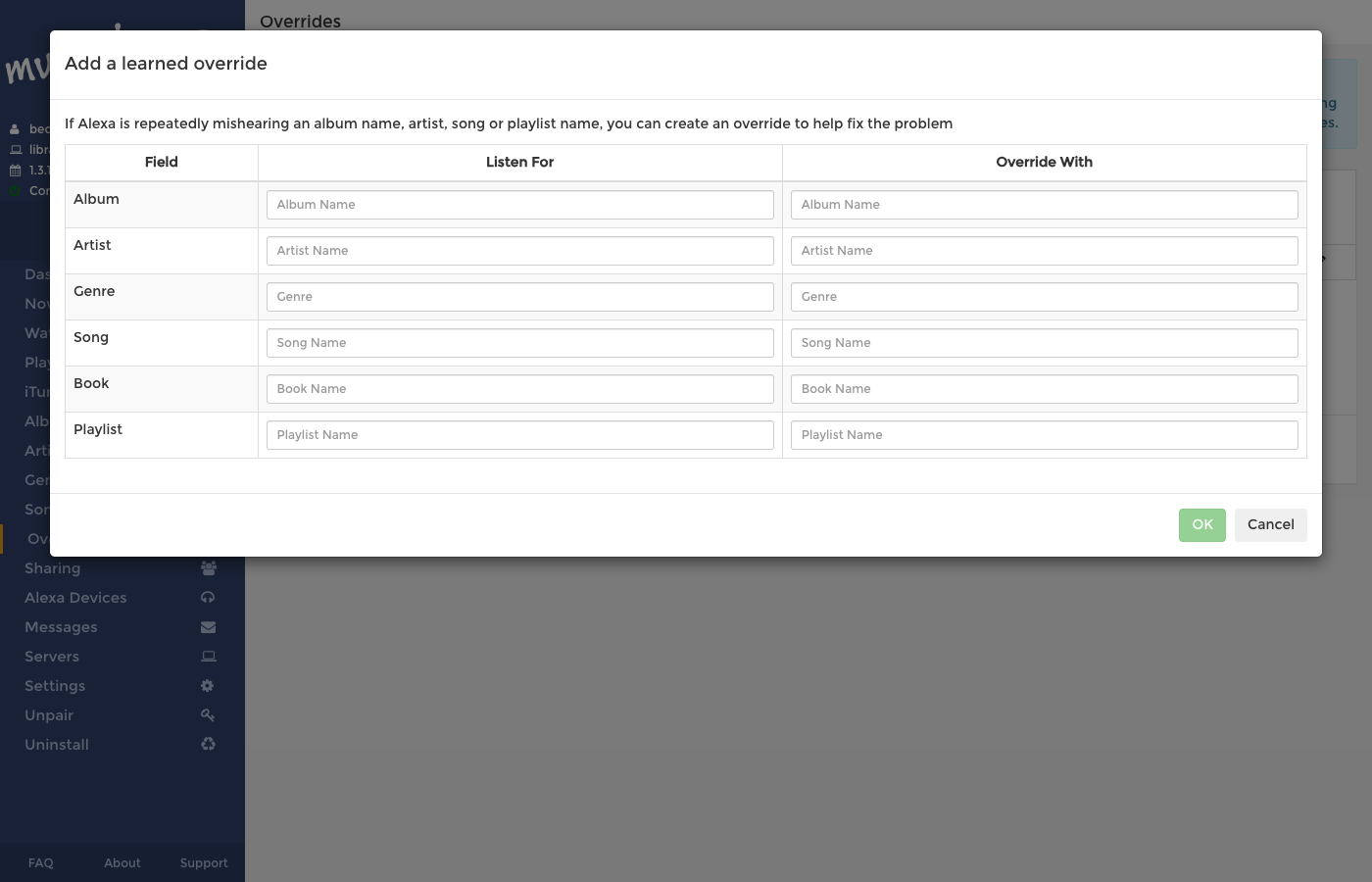
- Click Add Override.
- In the Listen For section, enter what Alexa is likely to hear (the wrong or abbreviated term). You only need to fill in the fields relevant to the mismatch — leave others blank.
- In the Override With section, enter the correct search term that matches your music library data.
- Click Save.
Examples
Short alias for a long album name:
| Listen For | → | Override With |
|---|---|---|
| Album: "Hits" | → | Album: "Shark's All Time Top Hits" |
Now saying "Alexa, ask My Media to play Hits" will find the full album name.
Correct a mishearing:
| Listen For | → | Override With |
|---|---|---|
| Artist: "Michael Jackson" (misheared as "Michael Jacksons") | → | Artist: "Michael Jackson" |
Cross-field substitution:
| Listen For | → | Override With |
|---|---|---|
| Genre: "Electro" | → | Artist: "Daft Punk" |
Now "Alexa, ask My Media to play Electro music" will actually search for Daft Punk tracks.
Editing an Override
Click the pencil icon on any row to edit it in-place. Modify the Listen For or Override With fields and save.
Deleting an Override
Click the red trash icon on a row to delete it. The override takes effect immediately.
Creating Overrides from the Dashboard
The dashboard shows the Recent Alexa Play Requests history. Each row where My Media failed to find a match shows a graduation cap icon (🎓). Click it to immediately open the Add Override dialog pre-populated with the failed search criteria, ready for you to fill in the correct match.
This is the fastest way to train overrides — just look at recent failures in the dashboard and fix them one by one.
How Overrides Work
When Alexa sends a search request to My Media, My Media checks the Overrides list first. If a matching override is found, the criteria in the Override With side is substituted into the search before any Lucene queries run. The history table records when an override was used (shown as "via override" link in the dashboard).
Overrides are matched using a case-insensitive exact match against the "Listen For" fields.