
Dashboard
The Dashboard is the home screen of the My Media web console. It gives you an at-a-glance view of your media library and recent Alexa activity.
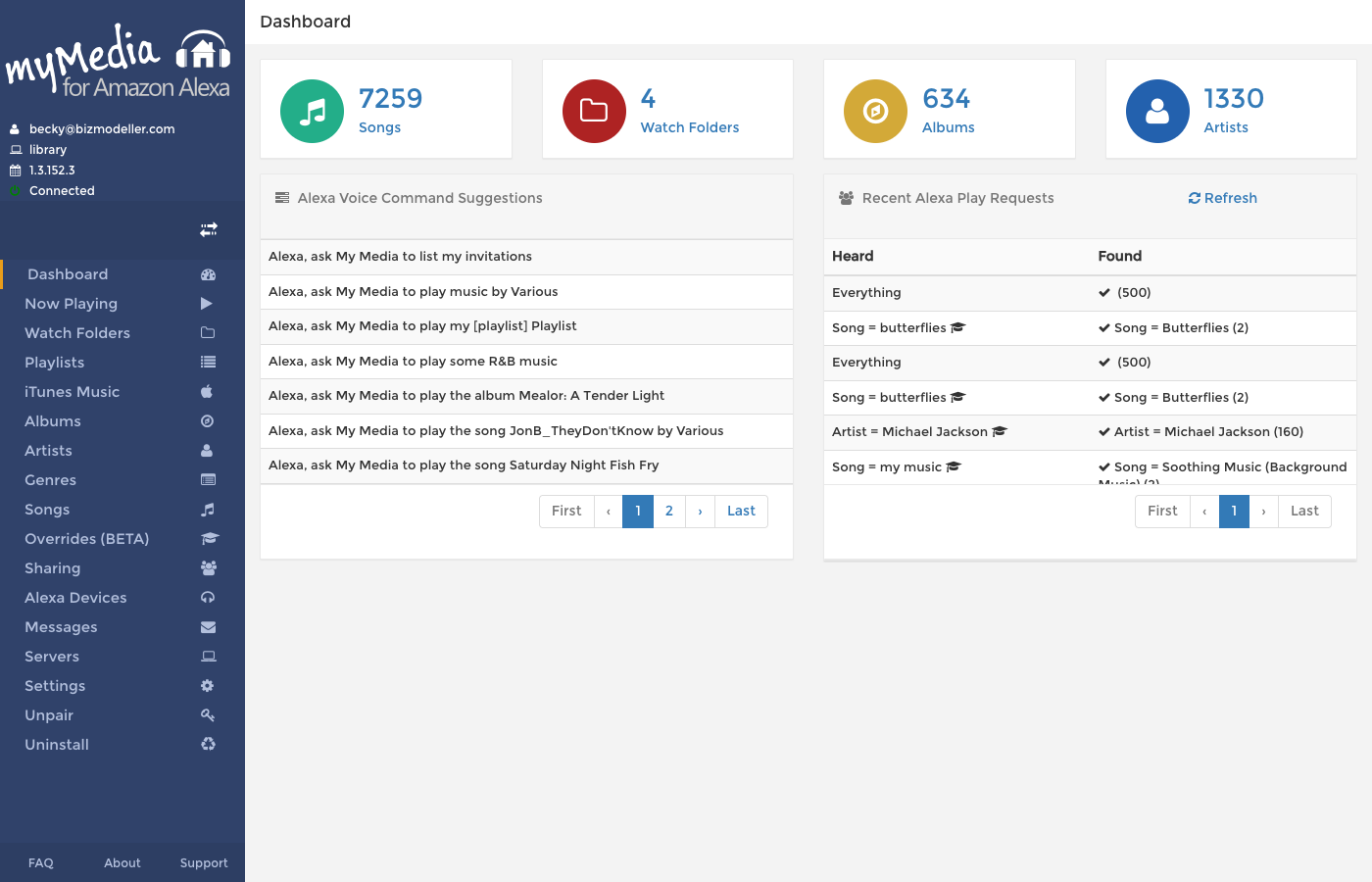
Library Summary Widgets
Four colored tiles at the top show the current state of your indexed library:
| Tile | Color | What it shows |
|---|---|---|
| Songs | Green | Total number of indexed tracks |
| Watch Folders | Red | Number of configured watch folders |
| Albums | Orange | Number of distinct albums |
| Artists | Blue | Number of distinct artists |
Each tile is a clickable link to the corresponding section of the console.
An update available banner appears at the top of the Dashboard if a newer version of My Media is available for download. Click the banner link to go to the download page.
Alexa Voice Command Suggestions
The left panel shows a paginated table of suggested Alexa commands based on your actual indexed library. Each row is a ready-to-use invocation phrase, for example:
- Alexa, ask My Media to play the album Divide
- Alexa, ask My Media to play music by Ed Sheeran
- Alexa, ask My Media to play my Workout playlist
Use these suggestions to discover exactly how to phrase a request for something in your library.
Recent Alexa Play Requests
The right panel shows a history of every Alexa search request that was sent to your My Media server, with two columns:
| Heard | Found |
|---|---|
| What Alexa understood from your voice request | What My Media found and queued (or "Nothing found" if there was no match) |
Overrides indicator
When a request was fulfilled via an Override, a "via override" link appears in the Found column. Click it to go to the Overrides page.
Creating overrides from the dashboard
When a request shows "Nothing found", a graduation cap icon (🎓) appears next to the Heard phrase. Click it to open the Add Override dialog pre-populated with the failed criteria. You can then enter the correct search term and save it without leaving the Dashboard.
Refreshing history
Click the Refresh button in the Recent Alexa Play Requests widget header to reload the history table with the latest requests.