
iTunes & Apple Music
My Media can index your iTunes (Windows / older macOS) or Apple Music (macOS Catalina and above) library so that all your local tracks and playlists are available for Alexa voice commands.
Prerequisites
iTunes (Windows / macOS Mojave and below)
iTunes must be configured to share its Library XML file before My Media can index it.
- Open iTunes.
- From the menu bar choose iTunes → Preferences (macOS) or Edit → Preferences (Windows).
- Click the Advanced tab.
- Check "Share iTunes Library XML with other applications".
- Click OK.
The iTunes Library XML file is normally located at:
- macOS:
/Users/[username]/Music/iTunes/ - Windows:
C:\Users\[username]\Music\iTunes\
Apple Music (macOS Catalina and above)
No XML export is needed. My Media integrates directly with the Apple Music app. Ensure your tracks are downloaded locally — My Media can only stream local files, not cloud-streamed content.
DRM / Fair-play tracks
My Media cannot process DRM-encrypted tracks (files with a .m4p extension). These tracks will be skipped during indexing.
Indexing Your Library
iTunes
Click Index iTunes Library. My Media will locate and import your iTunes Music Library.xml file.
Apple Music (Catalina+)
Click Index Apple Music Library. My Media will read directly from the Apple Music app database.
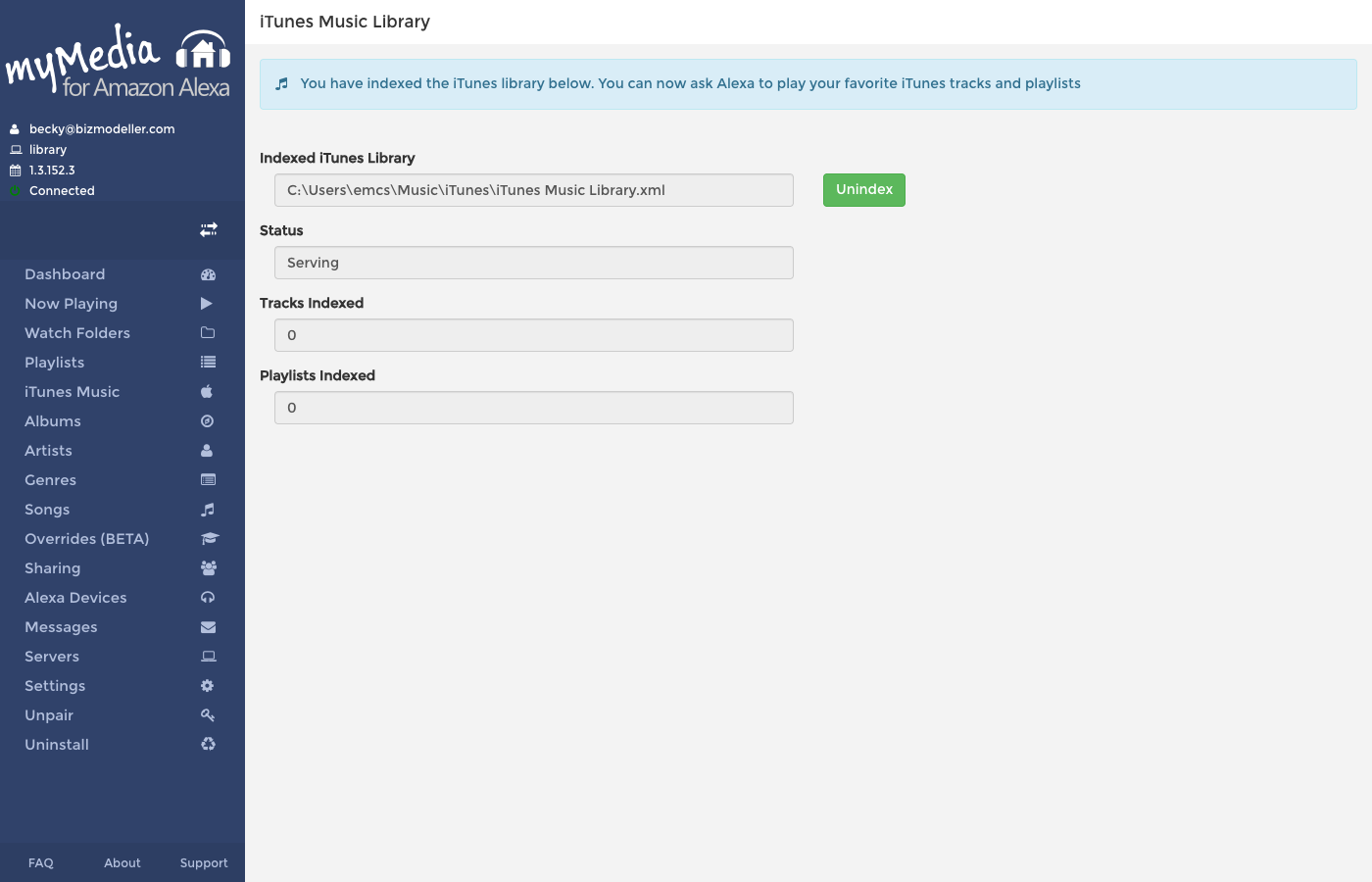
Indexed Library Status
Once indexed, the page shows:
| Field | Description |
|---|---|
| Indexed Library | Path to the iTunes/Apple Music library file or folder |
| Status | Current indexing status (Indexed, Scanning, Error, etc.) |
| Tracks Indexed | Number of tracks successfully indexed |
| Playlists Indexed | Number of playlists indexed |
If any tracks failed to index, an error message displays the count and the first error encountered.
Re-indexing and Rescan
My Media automatically rescans your iTunes / Apple Music library every 6 hours. To trigger an immediate rescan, go to the Watch Folders page and click Trigger Rescan — the iTunes library will be included in the rescan.
Removing the iTunes Index
Click Unindex to remove the iTunes/Apple Music library from My Media. Your regular Watch Folder indexed tracks are unaffected.
Voice Commands for iTunes / Apple Music
Once indexed, all your iTunes tracks and playlists are available alongside your Watch Folder tracks. Use the same voice commands:
- "Alexa, ask My Media to play my [playlist name] playlist"
- "Alexa, ask My Media to play the album [album name]"
- "Alexa, ask My Media to play music by [artist name]"