
My Media for Alexa
My Media for Alexa is a media server that lets you stream your personal music library — including MP3, FLAC, WMA, OGG, WAV, AAC, M4A, and AIF files — through any Amazon Alexa device. Once installed and paired, you simply tell Alexa to play your music by artist, album, genre, song title, or playlist.
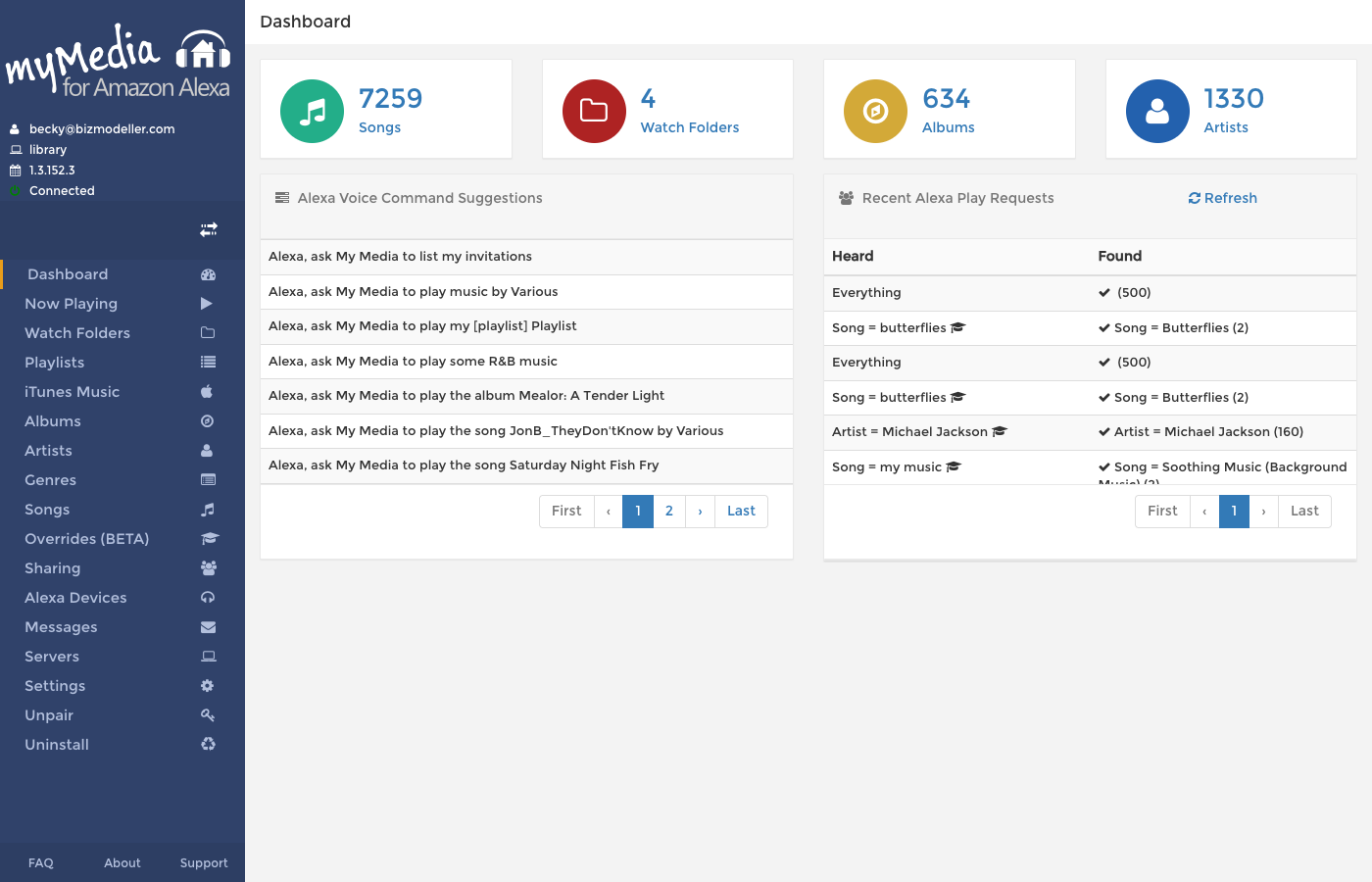
What You Can Do
- Play any song in your music library by saying its name to Alexa
- Browse by artist, album, genre, or playlist — Alexa understands fuzzy requests
- Stream FLAC, WMA, WAV, OGG and other formats that Alexa doesn't natively support, via on-the-fly transcoding
- Share your server with other Amazon accounts in your household
- Create smart playlists or use playlists imported from iTunes/Apple Music
- Teach My Media to correct misheard song/artist names via the Overrides feature
- Monitor now-playing across multiple Alexa devices from the web console
- Set bookmarks in audio books so you can resume exactly where you left off
How It Works
My Media runs as a background service (Windows Service on Windows, daemon on Linux/macOS/QNAP/Synology). It indexes your local music files into a Lucene search index. When you ask Alexa to play something, the My Media Alexa Skill queries your server and streams audio directly from your machine to your Alexa device.
You ──► Alexa Device ──► My Media Alexa Skill ──► Your My Media Server ──► Audio stream ──► Alexa
In This Guide
| Chapter | What You'll Learn |
|---|---|
| Getting Started | Installation and first-run setup |
| Installation Overview | Choose the right install method for your platform |
| Install on Windows | MSI installation and service checks |
| Install on Linux | DEB/RPM package install and service setup |
| Install on Raspberry Pi | Pi GUI and SSH installation methods |
| Install with Docker | Container setup with required port/volume mappings |
| Pairing with Alexa | Linking your Amazon account |
| Watch Folders | Pointing My Media at your music |
| Your Music Library | Browsing songs, albums, artists and genres |
| Playlists | Creating and managing playlists |
| Voice Commands | Complete list of Alexa commands |
| Now Playing | Monitoring playback in real time |
| Settings | Transcoding, artwork, and scanning options |
| Webhook Integration | Sending playback events to external services |
| Overrides | Teaching My Media to correct search terms |
| Sharing | Giving other accounts access |
| iTunes / Apple Music | Importing your iTunes library |
| Devices | Managing multiple Alexa devices |
| FAQ | Frequently asked questions and common problems |
| FAQ | Frequently asked questions |
Accessing the Web Console
The My Media Web Console is a browser-based management interface served by your My Media server, typically at:
http://<your-server-ip>:52051
All configuration, monitoring and management is done through this console.