
Sharing
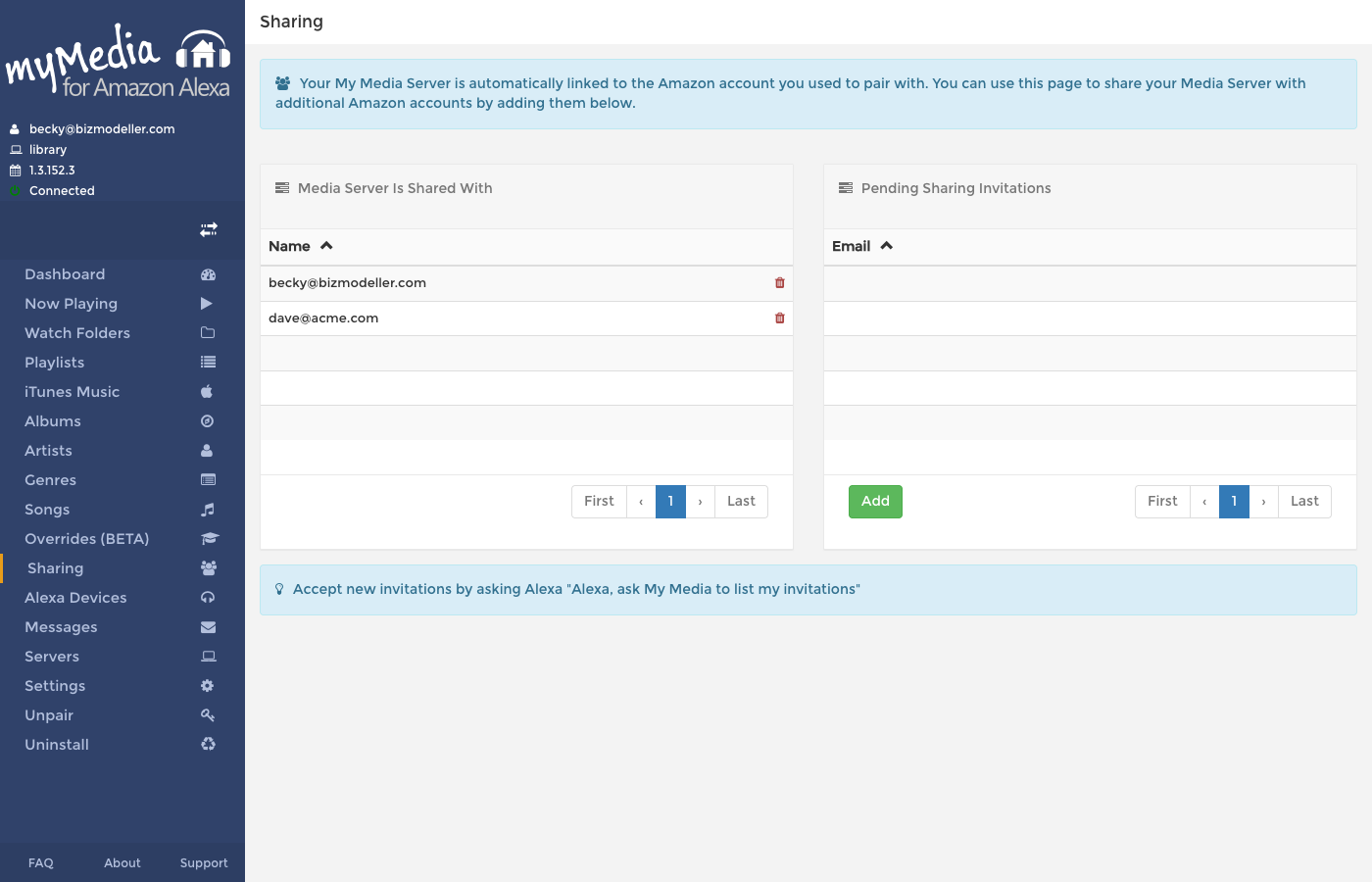
My Media is automatically linked to the Amazon account you used to pair with. The Sharing page lets you share your media server with additional Amazon accounts, so that family members or friends can also play your music using their own Alexa devices.
How Sharing Works
When you share your server with another Amazon account:
- My Media sends an invitation to that person's email address.
- They accept the invitation by asking Alexa: "Alexa, ask My Media to list my invitations"
- Their Alexa device can then stream music from your My Media server.
They do not need their own My Media server — they simply gain access to yours.
Media Server Is Shared With
The left panel lists all Amazon accounts that currently have active access to your server.
To remove access, click the red trash icon on the relevant row. Their access is revoked immediately.
Pending Sharing Invitations
The right panel lists invitations that have been sent but not yet accepted.
To cancel a pending invitation, click the red trash icon on the relevant row.
Sending a New Invitation
- Click the Add button in the Pending Sharing Invitations panel.
- Enter the email address associated with the recipient's Amazon account.
- Click Send (or Save).
The invitation will appear in the Pending panel until the recipient accepts.
Accepting an Invitation
The recipient accepts by saying to their Alexa device:
"Alexa, ask My Media to list my invitations"
Alexa will announce the pending invitation. The recipient can then confirm to add your server to their account.